URL to Markdown: Complete Guide, APIs, and Python/Node.js
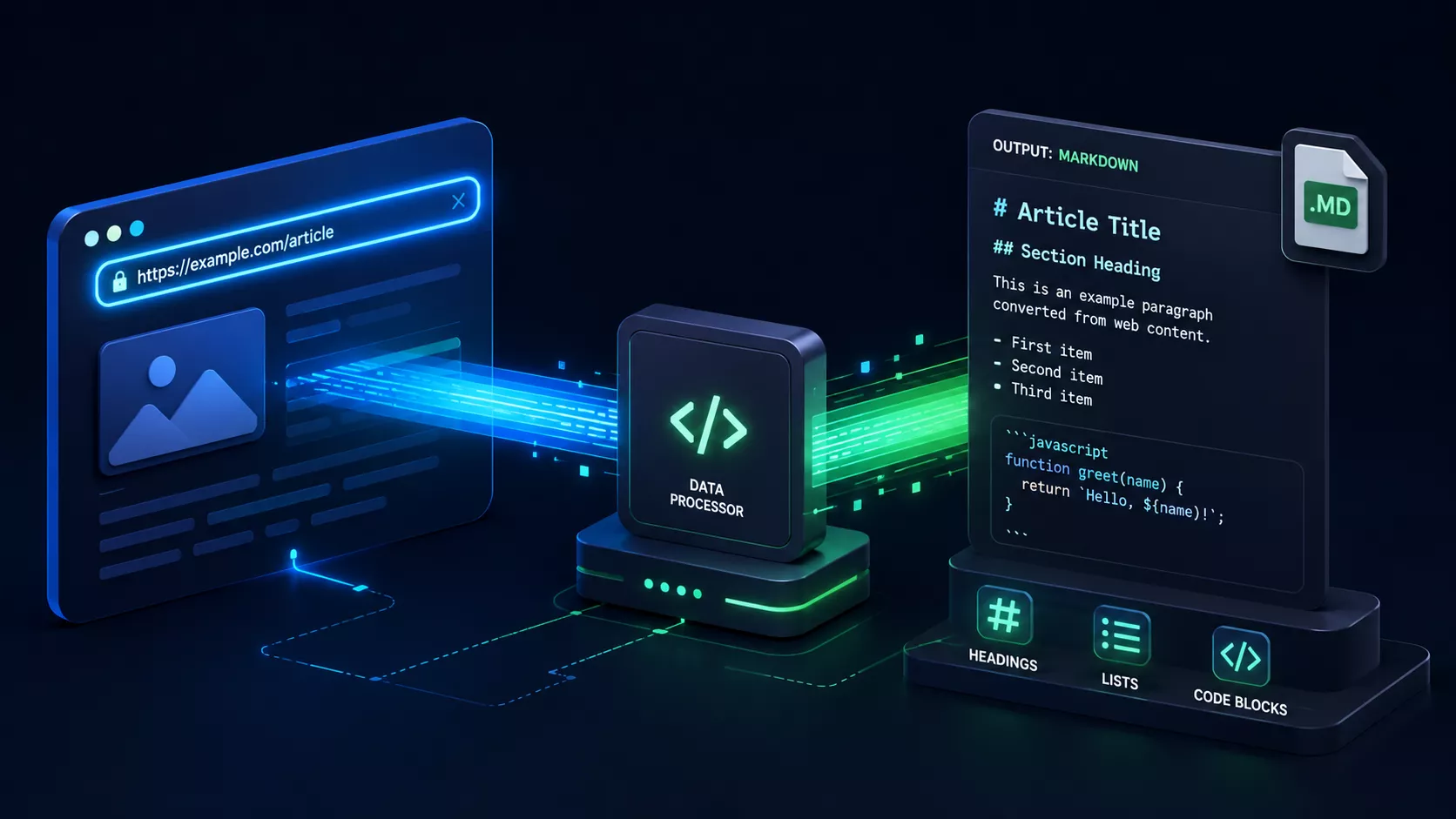
Turning a live web page into clean, portable Markdown sounds trivial until you actually try it. A raw HTML document is full of navigation bars, cookie banners, ad slots, tracking scripts, and inline styling that have nothing to do with the actual article. Converting a URL to Markdown properly means separating the signal (the article body) from the noise (everything else), then re-encoding that signal in a format that's readable by humans, diffable in Git, and easy for large language models to ingest for RAG pipelines.
This guide covers every practical route: a zero-install browser tool, a Node.js pipeline built on the Document Object Model, a Python pipeline suited to data science and LLM ingestion, and hosted APIs built specifically for AI agents. It also covers the edge cases that break naive scrapers — JavaScript-rendered single-page apps, HTML tables, and metadata extraction.
If you just need a URL converted right now with no setup, skip straight to the MD Convert URL to Markdown tool — paste a link, get clean Markdown back in your browser, nothing installed and nothing uploaded to a server for storage.
Comparison Matrix: Which Method Should You Use?
| Method | Dynamic JS (SPAs) | Setup Overhead | Privacy | Rate Limits / Cost | Best For |
|---|---|---|---|---|---|
| Browser Web Utility | Partial (relies on proxy fetch, not a full render) | None | High (client-side only, nothing stored server-side) | Free, soft rate limits on the proxy | One-off conversions, non-developers |
| Node.js Script (Readability + Turndown) | No (unless paired with a headless browser) | Medium (npm install, script maintenance) | Full control, self-hosted | None (your own compute) | Developers building custom pipelines |
| Python Pipeline (Trafilatura) | No (needs Playwright add-on for SPAs) | Medium (pip install) | Full control, self-hosted | None (your own compute) | Data science, bulk crawling, RAG corpora |
| Hosted Scraping APIs (Jina / Firecrawl) | Yes (server-side headless rendering) | Very low (single API call) | Data passes through third-party servers | Free tiers, then metered pricing | AI agents, LLM pipelines, SPA-heavy sites |
Method 1: Instant Browser-Based Conversion (Zero Install & Free)
The fastest route from a URL to Markdown is a browser-based tool like MD Convert's URL to Markdown converter. You paste a link, and within seconds you get back clean Markdown — no terminal, no dependencies, no account.
Under the hood, md-convert.org/url-to-markdown/ runs the same extraction logic developers use in code: Mozilla's Readability algorithm (the same engine behind Firefox's Reader View) strips navigation, ads, and boilerplate to isolate the article's main content, and Turndown converts the resulting HTML into CommonMark-compliant Markdown — the exact pipeline built out manually in Method 2 below, wrapped in a one-click interface.
The CORS hurdle. Browsers enforce the Same-Origin Policy, so client-side JavaScript running on md-convert.org cannot directly fetch() the HTML of example.com — the browser blocks the cross-origin read for security reasons defined in the WHATWG HTML Standard. MD Convert's tool works around this with a stateless CORS proxy: a lightweight server-side function fetches the target page on the tool's behalf, forwards the raw HTML back to the browser, and discards the request immediately afterward. Because the proxy doesn't persist the document to a database or log store, the conversion effectively still happens in your browser session — the proxy only exists to satisfy the browser's cross-origin restriction, not to retain your data.
→ Try the URL to Markdown converter now
Method 2: Programmatic Node.js Pipeline (Readability + Turndown)
For developers who need this logic in their own codebase — a CMS import script, a documentation pipeline, a personal knowledge base — a Node.js script gives full control. This example fetches a URL, parses the DOM, strips boilerplate with Readability, sanitizes the result with DOMPurify, converts to Markdown with Turndown, and resolves relative links to absolute URLs.
bash
npm install jsdom @mozilla/readability dompurify turndown node-fetch
javascript
// url-to-markdown.mjs
import fetch from "node-fetch";
import { JSDOM } from "jsdom";
import { Readability } from "@mozilla/readability";
import createDOMPurify from "dompurify";
import TurndownService from "turndown";
import { writeFileSync } from "fs";

async function urlToMarkdown(targetUrl) {
  // 1. Fetch the raw HTML
  const res = await fetch(targetUrl, {
    headers: { "User-Agent": "Mozilla/5.0 (compatible; URLToMarkdownBot/1.0)" },
  });
  const html = await res.text();

  // 2. Parse into a DOM and resolve relative URLs against the target
  const dom = new JSDOM(html, { url: targetUrl });
  const document = dom.window.document;

  // Convert relative href/src attributes (e.g. "/about") to absolute URLs
  document.querySelectorAll("a[href]").forEach((el) => {
    el.setAttribute("href", new URL(el.getAttribute("href"), targetUrl).href);
  });
  document.querySelectorAll("img[src]").forEach((el) => {
    el.setAttribute("src", new URL(el.getAttribute("src"), targetUrl).href);
  });

  // 3. Extract the article body, stripping nav/ads/scripts
  const reader = new Readability(document);
  const article = reader.parse();
  if (!article) throw new Error("Readability could not extract article content.");

  // 4. Sanitize the extracted HTML before conversion
  const DOMPurify = createDOMPurify(dom.window);
  const cleanHtml = DOMPurify.sanitize(article.content);

  // 5. Convert to GitHub Flavored Markdown
  const turndown = new TurndownService({ headingStyle: "atx", codeBlockStyle: "fenced" });
  turndown.use(require("turndown-plugin-gfm").gfm); // adds table/strikethrough support
  const markdown = turndown.turndown(cleanHtml);

  // 6. Prepend YAML frontmatter
  const frontmatter = [
    "---",
    `title: "${(article.title || "").replace(/"/g, '\\"')}"`,
    `source_url: ${targetUrl}`,
    `author: "${article.byline || "Unknown"}"`,
    `excerpt: "${(article.excerpt || "").replace(/"/g, '\\"').slice(0, 160)}"`,
    "---",
    "",
  ].join("\n");

  return frontmatter + markdown;
}

const [, , inputUrl] = process.argv;
urlToMarkdown(inputUrl).then((md) => {
  writeFileSync("output.md", md, "utf-8");
  console.log("Saved to output.md");
});
Run it with:
bash
node url-to-markdown.mjs https://example.com/article
Method 3: Python Pipelines for Data Science & LLM Ingestion
For teams building RAG (Retrieval-Augmented Generation) corpora or bulk-crawling documentation sites, Python's Trafilatura is the standard tool — it's tuned specifically for extracting clean main-content text (and Markdown) from noisy HTML at scale. For pages requiring JavaScript execution before content appears, pairing it with crawl4ai (which wraps a headless Chromium instance) covers the gap.
bash
pip install trafilatura crawl4ai
python
# url_to_markdown.py
import trafilatura

def url_to_markdown_file(url: str, output_path: str = "output.md") -> None:
    downloaded = trafilatura.fetch_url(url)
    if downloaded is None:
        raise RuntimeError(f"Failed to fetch {url}")

    markdown = trafilatura.extract(
        downloaded,
        output_format="markdown",
        include_links=True,
        include_images=True,
        include_tables=True,
        with_metadata=True,
    )
    if markdown is None:
        raise RuntimeError("Trafilatura could not extract content from this page.")

    with open(output_path, "w", encoding="utf-8") as f:
        f.write(markdown)
    print(f"Saved Markdown to {output_path}")

if __name__ == "__main__":
    url_to_markdown_file("https://example.com/article", "article.md")
For JavaScript-heavy pages, use crawl4ai's headless rendering before handing the resulting HTML to Trafilatura:
python
import asyncio
from crawl4ai import AsyncWebCrawler

async def crawl_spa_to_markdown(url: str) -> str:
    async with AsyncWebCrawler() as crawler:
        result = await crawler.arun(url=url)
        return result.markdown  # crawl4ai runs its own Readability-style extraction

asyncio.run(crawl_spa_to_markdown("https://example.com/spa-page"))
This is the pattern most teams use to answer the url to markdown file intent directly: point the script at a URL, get a .md file on disk, ready to embed in a vector database or drop into an Obsidian vault via the Obsidian Web Clipper.
Method 4: Dedicated URL-to-Markdown APIs for AI Agents & LLMs
When you need this behavior inside a larger application — an AI agent that reads web pages on demand, a serverless function, a pipeline where you'd rather not maintain a headless browser — a hosted URL to Markdown API is the fastest path. These services handle headless rendering, proxy rotation, and content extraction server-side, so a single HTTP request returns Markdown.
Jina Reader is built specifically for this use case. Prefix any URL with https://r.jina.ai/:
bash
curl https://r.jina.ai/https://example.com
The response is plain Markdown, suitable for piping straight into an LLM prompt. See the Jina Reader documentation for authentication, response format options, and rate limits.
Firecrawl offers a similar dedicated endpoint with more configuration around JavaScript rendering, page waiting, and structured extraction:
bash
curl -X POST https://api.firecrawl.dev/v1/scrape \
  -H "Authorization: Bearer YOUR_API_KEY" \
  -H "Content-Type: application/json" \
  -d '{"url": "https://example.com", "formats": ["markdown"]}'
See Firecrawl's docs for the full API reference.
Self-hosted vs. hosted. If you're processing a handful of URLs a day, the Node.js or Python scripts above cost nothing beyond your own compute and keep data entirely in your infrastructure. If you're scraping thousands of pages, or need reliable rendering of client-side-only SPAs without maintaining your own headless browser fleet, a hosted API's cost is usually cheaper than the engineering time to replicate it.
Edge Cases & Solving Real-World Web Scraping Challenges
Single-page apps (React/Vue/Next.js). A plain fetch() only returns the initial HTML shell — the actual content is injected by JavaScript after the page loads. Readability and Trafilatura both operate on static HTML, so they'll return empty or near-empty results on a client-rendered SPA. The fix is headless rendering with Playwright or Puppeteer, which executes the page's JavaScript before you extract the DOM:
javascript
import { chromium } from "playwright";

async function renderSpa(url) {
  const browser = await chromium.launch();
  const page = await browser.newPage();
  await page.goto(url, { waitUntil: "networkidle" });
  const html = await page.content();
  await browser.close();
  return html; // now feed this into Readability + Turndown
}
Preserving tables. Turndown's default output doesn't include table support — you need the GFM plugin (turndown-plugin-gfm, used above) to convert <table> elements into pipe-delimited GitHub Flavored Markdown tables rather than dropping them or flattening them into unreadable text.
Extracting metadata for YAML frontmatter. Most pages expose OpenGraph tags (<meta property="og:title">, og:description) and often a JSON-LD block in <script type="application/ld+json">. Reading these before you run Readability lets you populate accurate frontmatter — title, author, published_time, source_url — instead of guessing from the visible page text, as shown in the Node.js example above.
Quick Reference: How to Add a URL in Markdown
A related but distinct question developers search for is Markdown link syntax itself, not conversion. For reference:
- Standard inline link:
[Anchor Text](https://url.com) - Image as a link:
[](target-url) - Reference-style link:
markdown
  [Anchor Text][1]

  [1]: https://url.com "Optional title"
Part of the MD Convert Multi-Format Ecosystem
Converting a URL is rarely the only format problem a documentation or data pipeline runs into. MD Convert is a suite of 16 browser-based, zero-server-upload converters — every conversion listed below runs client-side, the same privacy model described in the CORS proxy explanation above, so source files never leave your machine except for the fetch step a live URL requires.
The full suite covers: PDF, DOCX, Excel (XLSX), ODS, CSV, TSV, JSON, YAML, XML, HTML, XHTML, Jupyter Notebooks (.ipynb), Evernote exports (.enex), RTF, and TXT — alongside the URL-to-Markdown converter covered in this guide. If your workflow involves pulling a live web page into Markdown and then also needs to normalize a spreadsheet export or a Jupyter notebook into the same format, it's worth exploring the full MD Convert toolset rather than stitching together separate scripts for each format.
Related Tools & Guides
- URL to Markdown Browser Tool — paste a link, get Markdown instantly
- MD Convert Homepage — All 16 Converters — the full privacy-first, client-side conversion suite
- HTML to Markdown Converter — for when you already have the HTML, not a live URL
- Convert Markdown Files to PDF, Word, and HTML
- PDF to Markdown Conversion Guide
Which Route Should You Actually Use?
For a single URL, right now, with no setup: md-convert.org/url-to-markdown/ is the fastest path — it's the same Readability + Turndown pipeline from Method 2, running client-side. For a recurring pipeline, pick Method 2 (Node.js), Method 3 (Python), or Method 4 (hosted API) based on whether you need self-hosted control or server-side SPA rendering, per the comparison matrix above.
FAQ
How do I convert a URL to a Markdown file from the command line?
Use the Python script in Method 3 (trafilatura.extract() with output_format="markdown"), or the Node.js script in Method 2 — both write directly to a .md file on disk. For a single command with no local script, curl https://r.jina.ai/YOUR_URL > output.md works without any local dependencies.
Why do some URLs return empty Markdown?
The most common cause is a JavaScript-rendered single-page app: a plain HTTP fetch only retrieves the initial HTML shell before the framework injects content. Use a headless browser (Playwright, Puppeteer) or a hosted API with server-side rendering (Jina Reader, Firecrawl) instead of a static fetch.
Can I convert paywalled URLs to Markdown?
Extraction tools can only process content the server actually returns to the request; they don't bypass authentication or subscription paywalls. If a page requires login, you'll need to pass valid session cookies to your fetch request, and you should confirm doing so complies with the site's terms of service.
Does converting a URL to Markdown remove images?
No — Readability, Trafilatura, and the hosted APIs above all preserve <img> tags, converting them to Markdown image syntax (). Relative image URLs should be resolved to absolute URLs during conversion, as shown in Method 2, or they'll break once moved outside the original page's context.
Which method is best for feeding pages into an LLM or RAG pipeline?
For a small number of known URLs, the Python/Trafilatura pipeline (Method 3) gives you full control over chunking and metadata. For an AI agent that needs to read arbitrary URLs on demand, including JavaScript-heavy pages, a hosted API like Jina Reader or Firecrawl (Method 4) is simpler to integrate and doesn't require maintaining headless browser infrastructure.